Why the room is missing
Naboro works through the Microsoft account you connected as the company's calendar provider, so it can only see the calendars that account sees. When you pick a calendar for a room, Naboro shows the calendars from that account's own calendar list in Outlook. A room mailbox that was never added to that list doesn't appear, even though it exists in your organization.
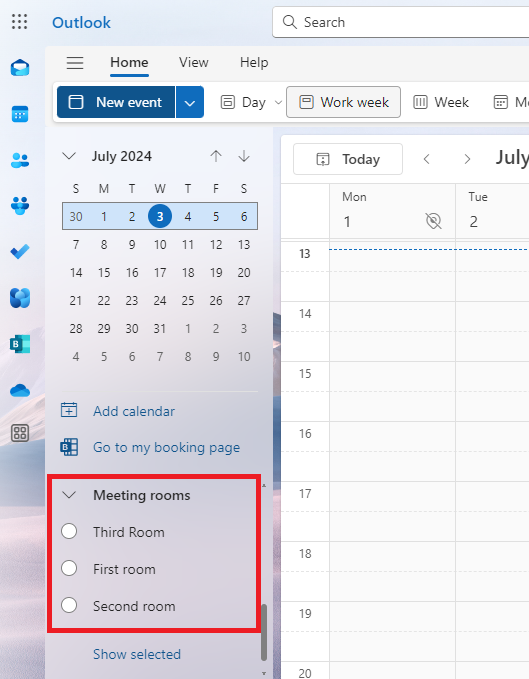
If your organization hasn't configured meeting room calendars yet, see this page in the Microsoft 365 documentation.
Give the account access to the room
You can add a meeting room calendar to the calendars list by following the steps below:
- As a Microsoft 365 admin open https://admin.exchange.microsoft.com/#/resources/:/ResourceDetails
- Click on the meeting room you want to manage in Naboro and on the side panel go to tab "Delegation".
- Scroll down to the section "Read and manage (Full Access)" and add as a delegate the Microsoft 365 account connected to Naboro.
- Wait a few minutes to ensure the changes are propagated in Microsoft's infrastructure (important!).
- As the Microsoft 365 account connected to Naboro go to the Outlook calendar.
- If you already have the meeting room added to the list of calendars - remove it, otherwise it won't be visible in Naboro.
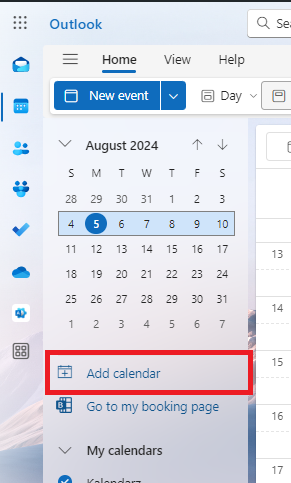
- In the Outlook calendar click "Add calendar" and open tab "Add from directory".
- Search for the meeting room you want to manage in Naboro and add it to the list of displayed calendars.
Full Access is what makes sync work. Naboro makes changes to the room's calendar to sync it, so reading alone isn't enough. A calendar the account can only read appears as read-only in Naboro and can't be connected. The Read and manage (Full Access) permission from step 2 covers this.
Still not seeing the room?
Check which account is actually connected. In Naboro, the company page lists the connected calendar providers with the account name next to each one. The room has to be added to that account's calendar list in Outlook, not to your own. If you're stuck, write to us at hello@naboro.io and we'll help.